Dies ist eine alte Version des Dokuments!
Copy data
It is possible to copy the selected material via the menu item Material and the function Copy or by pressing the Copy button on the right. For this purpose, a new material name must be specified, to which the values of the existing material are then transferred. However, this new name must not be the same as the original name.

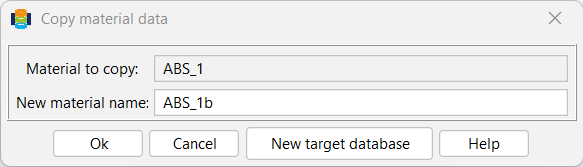
This dialogue box also offers the option of transferring selected material to another target database. To do this, first select the New target database button. The input mask will then change as follows:
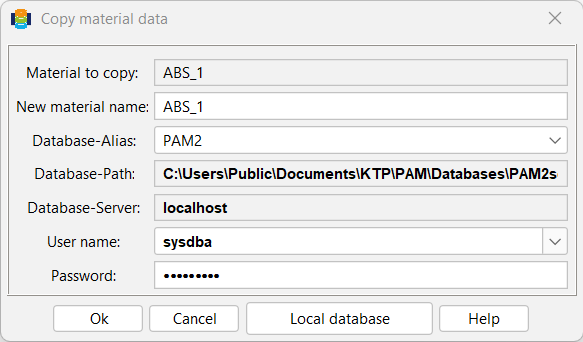
Now you can select the appropriate target database. It may be necessary to adjust the user name and password so that the copy process can be carried out successfully. In contrast to the standard dialogue box shown in the previous figure, it is always assumed that the material name of the copy matches that of the original. However, it is also possible to customise this.